Your Booking Settings control how your calendar responds when a booking is confirmed. Choose Block Time Only if you accept multiple bookings throughout the day, or Block Whole Day if you only allow one booking per day. You can also automatically cancel any open offers that conflict with a confirmed booking.
Update Availability After a Booking
Log in to your account through the Getmyboat website.
Navigate to Booking Settingsfrom the Account and Settings menu.
Select Availability After Booking.
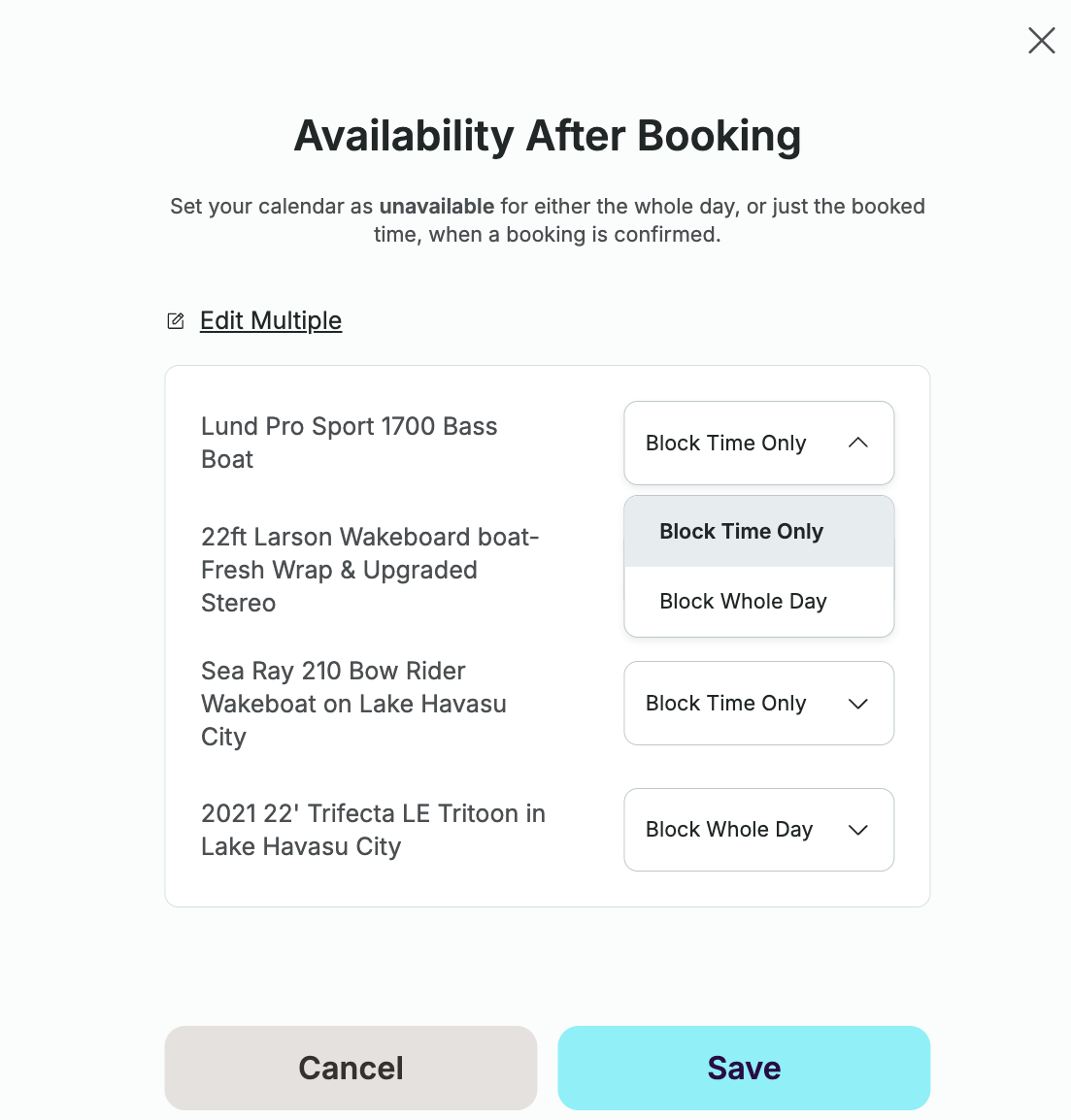
Choose the preferred setting for each listing:
Block Time Only blocks only the reserved time, allowing additional bookings during other available times that day.
Block Whole Day blocks the entire day, preventing any additional bookings.
- Click Save to apply your changes.
Automatically Cancel Conflicting Offers
Once you have configured the Availability After Booking settings you may then choose whether you want to automatically cancel any open offers that conflict with a confirmed booking.
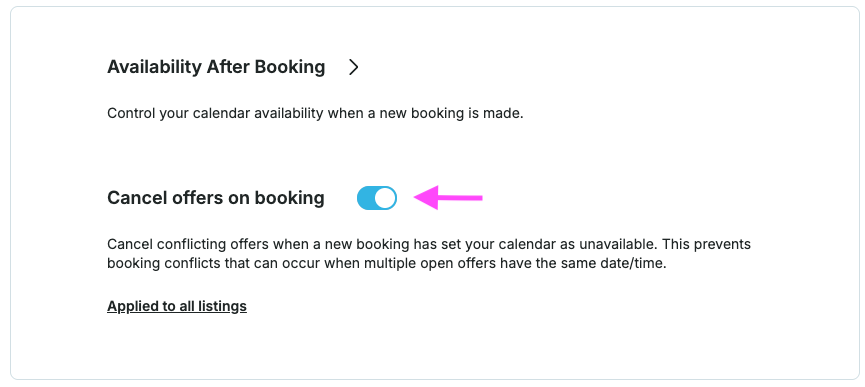
If you want to activate specific listings only, select Applied to all listings to open the configuration modal. When enabled, any open offers that conflict with a newly confirmed booking will automatically be canceled, and the affected renters will be notified.
If you have questions about configuring your Booking Settings please contact our account management team at sales@getmyboat.com.